Duplicate submission warning
Why a form checks your email mid-way through, what the "Resume your draft?", "Check your email" and "You've already submitted" screens mean.
Before you start
- This only applies to forms that ask for your email address on one of their fields. Forms without an email field never show this warning.
- Nothing you need to do beforehand — the check runs automatically as you type.
What triggers the warning
- Only forms where the organization set up a field to collect your email address as
your contact email run this check at all. As soon as you type a complete, valid-looking email address into
that field, the form waits about a second and then looks up whether a response
already exists for that exact email address on this same form. The lookup ignores
capitalization, so
Jane@Example.comandjane@example.comare treated as the same address. - The lookup only ever looks at responses to this form. The same email address on a different organization's form, or a different form from the same organization, is unaffected.
- What happens next depends on what that earlier response is:
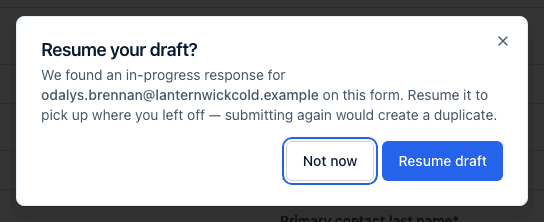
- An in-progress draft started in this browser. If this browser still holds that draft and its link is still valid, you're offered a Resume your draft? dialog: "We found an in-progress response for [email] on this form. Resume it to pick up where you left off — submitting again would create a duplicate." Choosing Resume draft reloads the page with that draft's saved answers. Choosing Not now dismisses the dialog and lets you keep going on the response you already had open — if you submit it, you'll end up with two responses on file, so Resume draft is almost always the one you want.
- Any other draft for that email (one started in another browser, one whose link has expired, or a form the organization sent you by email that you haven't started yet). A Check your email dialog says "We've emailed you a link to continue your draft." The email goes only to the address the draft was saved under, and its link works for 7 days. Open it to pick up your draft; it also gives you a fresh link that works for 30 days after your last save. Click Keep filling here to carry on in the page you have open instead.
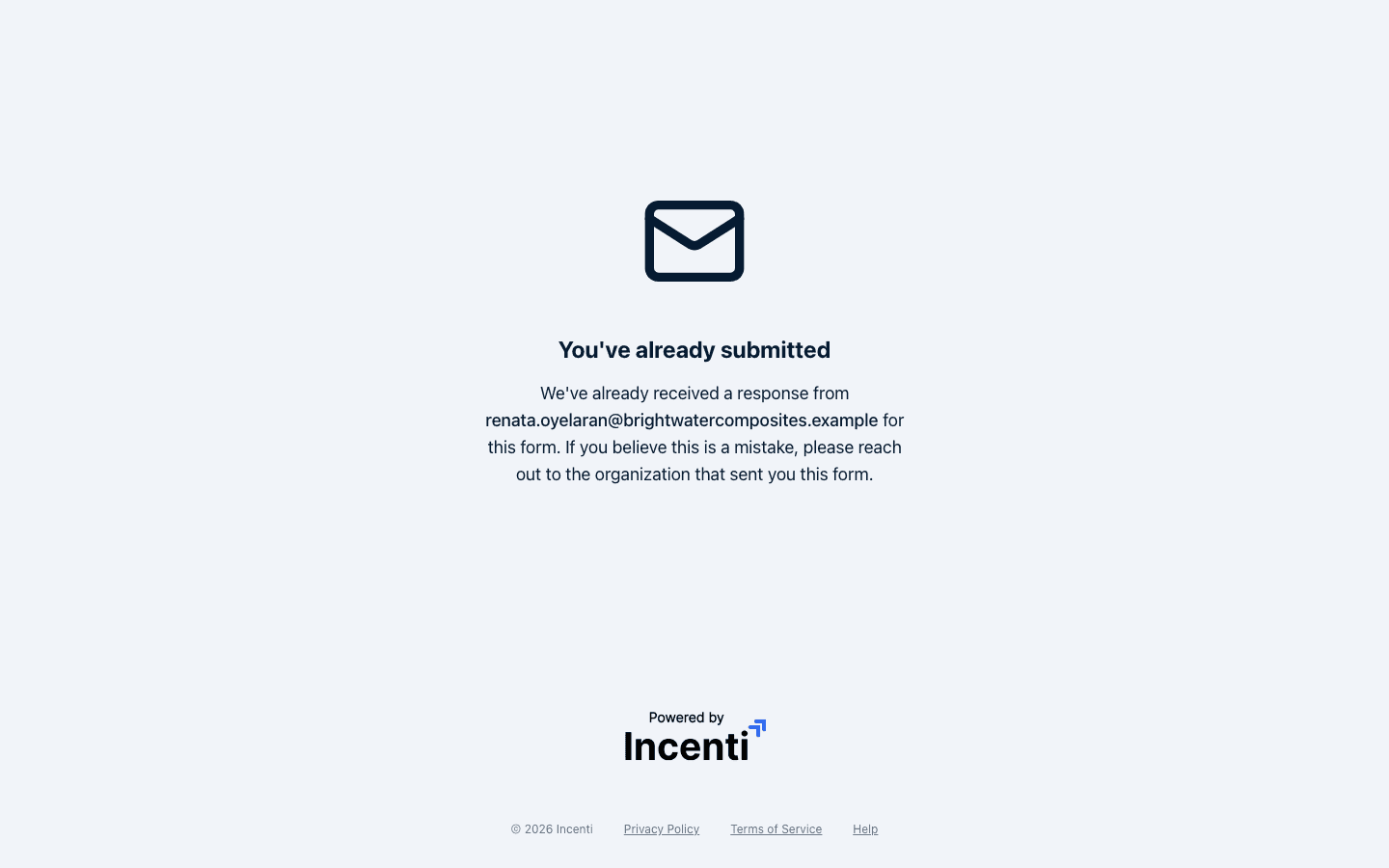
- A response that was already submitted (including one further along in the organization's review — in review, shortlisted, accepted, or declined). The form is replaced entirely by a "You've already submitted" screen: "We've already received a response from [email] for this form. If you believe this is a mistake, please reach out to the organization that sent you this form."
What happens next
- Auto-save pauses while you're blocked. While the "You've already submitted" screen is showing, nothing you type is saved — there's no form on screen to save anyway.
- Using a different email clears the block. The "You've already submitted" screen
replaces the form, so you can't edit the address in place. Open the original form
link again (without any
?appId=part) and enter the correct address; the check runs again and, if that address hasn't already submitted, the form loads normally. - The organization can find your earlier response by searching for your email in their list of received responses, so if you believe the block is a mistake, contact them directly rather than trying to work around it.
- This is a per-form check. Submitting to one form never blocks or affects a different form, even from the same organization.
- The response you're working on is never matched against itself. The lookup ignores the draft open in front of you, so a saved draft can't block its own submission.
- Only drafts and submitted responses trigger anything. A saved draft offers Resume draft or an emailed link; a form the organization sent you by email that you haven't started yet gets the emailed link too; a submitted or reviewed response blocks. A response you marked ready for submission without sending does neither — the form simply loads as normal.
- The check never shows you someone else's draft. Typing an email address never opens a draft that isn't held in this browser; it only emails that address. So someone who knows your email can't use it to see your answers.
Common questions
Q: I need to submit a second application for a different project. Can I use the same email? A: Not on the same form — one submitted response per email address per form is the limit this check enforces. If the form's owner intends to accept more than one submission per person (for example, one per project), ask them for a way to do that; otherwise you'll need to use a different email address for the second submission.
Q: Someone else at my company already submitted this form. Can I still submit my own? A: Yes, as long as you use your own email address. The check only blocks a second submission from the exact same email address — a colleague's earlier submission under their own email doesn't affect you.
Q: I typed the wrong email address and now it says I've already submitted. What do I do? A: Open the original form link again and enter the address you actually meant to use. The form checks again as soon as you finish typing a valid address, and if that address hasn't already submitted, the form loads normally. Answers you typed before the block appeared may not have been kept, since saving stops as soon as the block appears.
Q: It said it emailed me a link, but nothing arrived. What now? A: Check your spam folder, and that you typed the same address you used before. The link goes only to the address the draft was saved under. It can take a few minutes, and a new one is sent at most every 15 minutes per draft. If it still doesn't arrive, contact the organization that sent you the form.
Q: Why does the check only run on some forms? A: It runs only when the organization set a field up as your contact email address. A form that asks for an email but doesn't treat it as the contact email, or doesn't ask for one at all, never runs the check — so you can submit twice without seeing a warning.
Q: It says I already submitted, but I never did. What's going on? A: Someone else may have already submitted this form using the same email address, or you may have submitted it yourself previously and forgotten. Either way, reach out to the organization that sent you the form link — they can look up the earlier response by that email address and sort out what happened.
Related
Last updated on